When we receive a file from you, we first check whether colours other than CMYK are contained in the file. If the file is built exclusively in CMYK, it is sent directly for proofing.
Handling of incorrect profiles in CMYK data / "profile mismatch"
If we have received exclusively CMYK data from you, we ignore any input and output profiles contained and only use the CMYK values that we convert to the ordered output colour space.
Example 1: Data in ISOCoated, proof ordered in ISOCoatedV2, so incorrect or no CMYK profile embedded
You send a file with the profile ISOCoated and a colour patch in CMYK 100/70/0/0 and order a proof according to ISOCoatedV2. We ignore the ISOCoated profile and proof the pure colour value 100/70/0/0 according to ISOCoatedV2.
Why do we do this? We try to represent the "lived reality" of printing as well as possible in our proofs. In many conversations with printers, we have seen that in almost 100% of cases they do not perform profile conversions from CMYK to CMYK, but instead apply a colour value of 100/70/0/0 to the plate without regard to CMYK profiles, load paper and print according to standard. We also reproduce this approach, even though it would actually be "more correct" to perform a colour space transfer from ISOCoated 100/70/0/0 to ISOCoatedV2. However, this results in a different colour value, for example 100/63/1/6 with relative colourimetric conversion with black point compensation or 100/63/3/15 with perceptual with black point compensation!
Practical case: A customer of ours did not proof with us but with a colleague 30 slightly different, dark blue colour patches in ISOCoatedV2, each with the CMYK value printed in black text below it, in order to colour match a powder-coated surface. Based on the proofed colour patches, the customer defined a very good matching CMYK colour value, put it in his brochures, and started the print jobs.
Result: The dark blue was each a significantly different blue than on the reference proof, customer and agency were very dissatisfied and went on an error search.
Now the case came to us. We received a file for a proof according to ISOCoatedV2 and compared it with the proof of our colleague. The colours with the same black CMYK values printed below them were significantly different, both proofs but provided with a media wedge and correctly measured. After some troubleshooting, we came up with the idea of requesting the file that was originally proofed with the colleague, which also still existed. In this we found a Fogra27Coated profile, which is an implementation of the old ISOCoated. An ISOCoatedV2 proof had been ordered at the time. What happened? The colleague had taken the input profiles into account, which resulted in a significant change in the CMYK values of the colour patches through a colour space transfer from CMYK to CMYK as described above. Of course, the black printed CMYK values below the colour patches had not changed. The colour-matched CMYK value therefore no longer corresponded to the proofed value at all. Our customer fell out of his chair: "What, our CMYK values were not proofed?".
This case would not have occurred with us because we would ignore the embedded profile for CMYK data. This would also have been our customer's expectation in this case. After about two hours, we had thus identified the "error" (or perhaps rather the "difference"), created an "expectations-compliant" proof for our customer, based on which he could determine the matching CMYK value in ISOCoatedV2, and had the problem resolved.

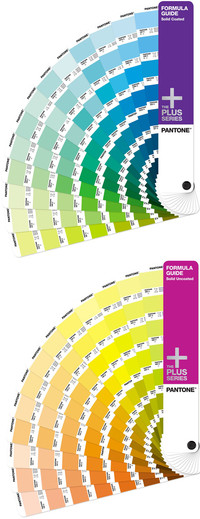 We proof with the proof system with the most precise colour reproduction of the entire printer market. Thanks to our 11-colour proof system, we can proof spot colours such as Pantone and HKS better than many other service providers. In our proof software, we have stored all common colours so that spot colours can be simulated as well as possible in the digital proof.

 If we could choose how our customers pay, we would wish for the following payment methods:
 We ship up to DIN A4+ format in a 400 gr/qm chromasulfate cardboard with tear-off flap, from DIN A3 format in a single-wall square cardboard tube, which is also equipped with a tear-off flap.


